We use cookies to enhance your experience. By continuing to visit this site you agree to our use of cookies. More info.

Announcement
All LaserShark orders will now be free. New LaserShark software 1.15.0 will be required to allow free orders. The updated software can be found below. With software version 1.15.0, instructions will be provided on how to order your free LaserShark engraving. Any codes or serial numbers provided in products will no longer be required. Contact your local representative if you have already purchased a LaserShark code and have not yet redeemed it.
Current products available for LaserShark engraving:
- KP-2
- KP-4
- KP-8
- RKM1+
- KX2
- KX4
- T1-B+
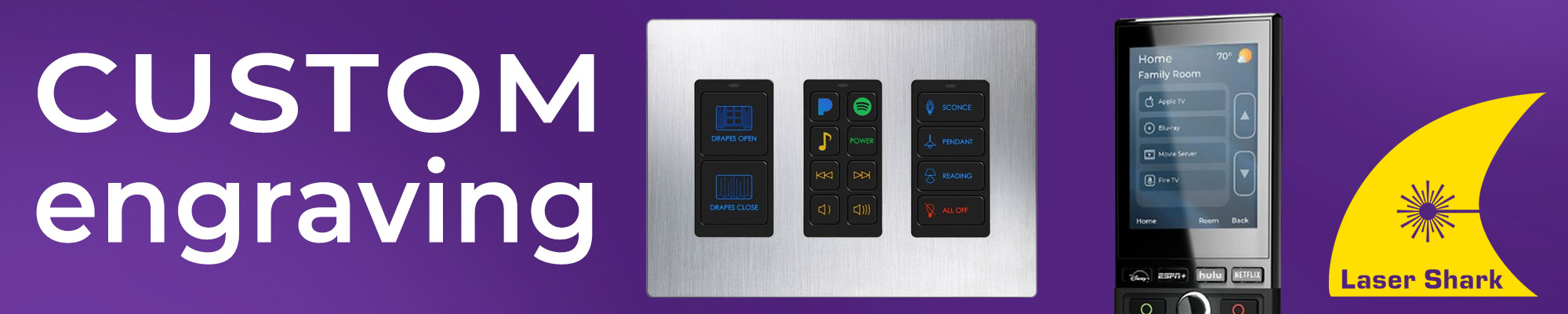
RTI Laser Shark® enables you to create custom buttons for compatible RTI products (listed below). The Laser Shark software allows you to use almost any font or graphic to create custom-engraved buttons.
Features
- Allows easy customization of button keycap labels on certain RTI products.
- Select the font type, language, symbol or graphic image.
- Compatible with KP-2, KP-4, KP-8, RK1+, RKM-1+, KX2, KX4, T1-B+.
- Certain touchpanel/keypad models have keycaps available in white and black (Light Almond not available).
- Software is free of charge and available to RTI dealers only.
Ordering Information
How it works - U.S. Dealers
-
Download and install Laser Shark® software on to your computer.
-
Create custom button labels in the Laser Shark software.
-
Completely fill out the Order Information section
-
Click the Export Order button on the menu bar to export the order to an *.lsdOrder file.
-
Email the exported order file to Lasershark@avproglobal.com
-
Wait 2-4 weeks for delivery of your custom button labels.
How it works - International Dealers
For international dealers, please contact your local RTI Distributor to arrange Laser Shark orders and follow the steps below.
- Install the Laser Shark Designer software and create a custom button design file (Click "Help" button for instructions).
- Send the Laser Shark design file to the Distributor (File ending in .lsd)
- Distributor submits the order on behalf of the dealer, by sending the Laser Shark design file to: Lasershark@avproglobal.com
- Distributor should include the following details with the order:
- Distributor name
- Contact name and phone number (with country code)
- Full Shipping address of RTI Distributor
- Name of RTI dealer - RTI will ship the engraved buttons back to Distributor with their next RTI shipment.
- Distributor gives the buttons to the dealer.
Please note that the processing time for Laser Shark Orders is 2‐4 weeks.
NOTE: If there are any questions contact RTI for assistance at: info@avproglobal.com
Download Laser Shark Software
Buttons Available for Laser Shark Engraving
The buttons available for Laser Shark custom engraving are shown below. These models of controllers have button keycaps/labels that have been specifically designed to be easily replaced.
NOTE: Buttons that are not listed below on these and other RTI products are NOT available for custom laser engraving.
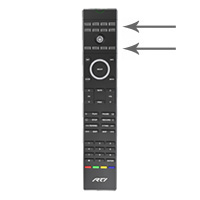
T1-B+ Handheld Remote Control
Buttons available for engraving:
- Eight "source" button keycaps located at the top of the T1-B+.
- Four "general purpose" button keycaps below the power button.
Order Includes: 32 button keycaps.
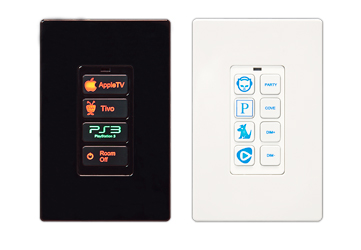
KP-2, KP-4, KP-8, RK1+ 2, 4 and 8 Button In-wall Keypads
Buttons available for engraving: All button keycaps.
Order Includes: 2, 4 or 8 button keycaps - based on model.
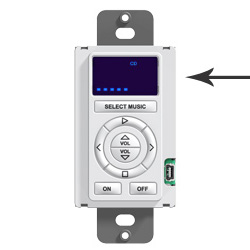
RKM-1+ Multi-Room Audio Keypad
Available for engraving: Interchangeable selected source lens sheet.
Order Includes: Six lens sheets
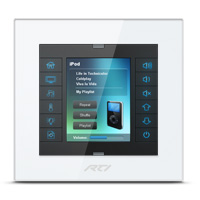
KX2 2.8" In-wall Touchpanel Keypad
Buttons available for engraving: Twelve hard button keycaps.
Order Includes: Twelve button keycaps.
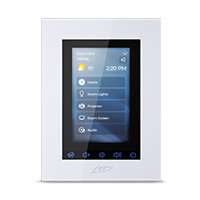
KX4 4" In-wall Touchpanel Keypad
Buttons available for engraving: Five hard button keycaps.
Order Includes: Ten button keycaps.